

You’re a digital marketer trying to build real connections. You’re meeting small business owners at networking events, workshops, or even the local coffee shop. But how do you leave behind something memorable? A personal touch? Something beyond a LinkedIn request?
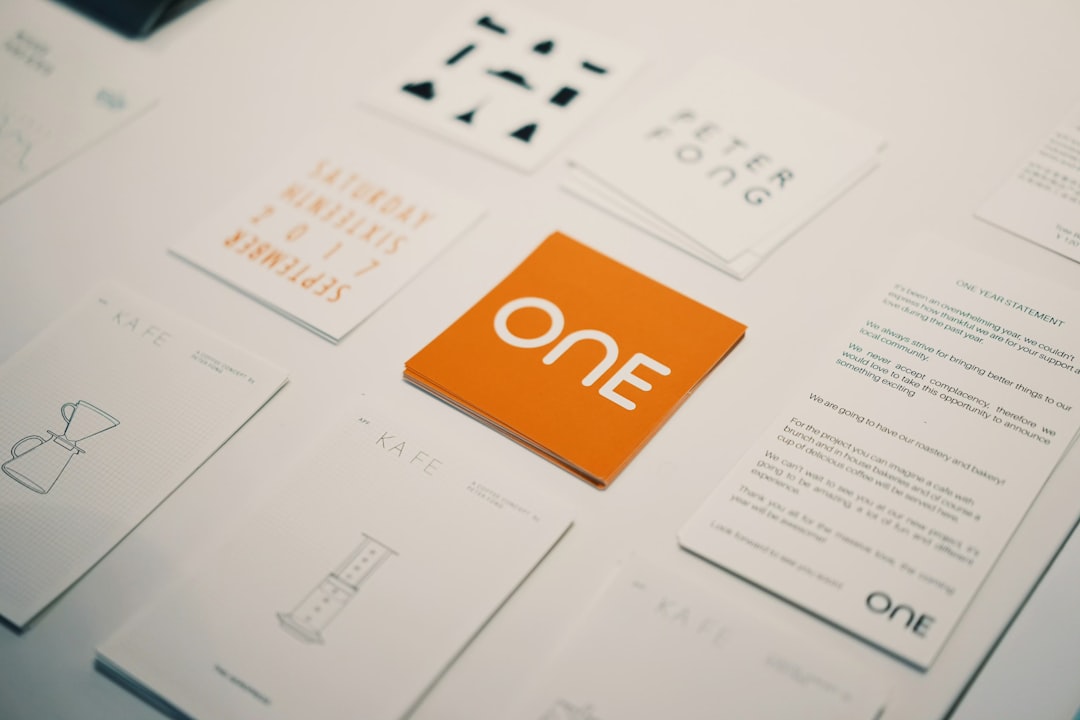
Enter: the mighty business card. Yep, still alive and thriving, especially when it’s made right!
TLDR: Business cards are still relevant, especially for digital marketers meeting small business owners. Using business card maker tools, you can create unique, professional cards that reflect your brand and spark conversations. This article will walk you through why you need them, how to make them, and which tools to try. Let’s make networking fun again!
Why Digital Marketers Need Business Cards
Yes, we live online. But real-world connections count. Especially with small business owners who may not be tech-first. Physical cards give your first impression a lasting edge.
Here’s why they matter:
- They’re memorable: People remember visuals more than names on a screen.
- They’re personal: A card shows effort and helps you start conversations.
- They’re easy to share: Hand it over, no phone-fumbling required.
And let’s be honest, telling someone, “Just search my name on LinkedIn,” is not as cool as handing over a slick card with your own branding.
What Makes a Great Business Card for Digital Marketers?
Your card should scream YOU. But in a cool way. Not in the “too much neon” way. Here’s what to include:
- Your name & title: Keep it real, like “Alex – Digital Marketing Pro”
- What you actually do: “Social Media Wizard” or “Lead Gen Genius” can work – just be clear
- Contact info: Email, phone (if you’re comfy), and maybe a scannable QR code
- Brand elements: Colors, fonts, even your logo
- Personality: Funny slogan? Quote? Make them smile
Top Business Card Makers to Try
No, you don’t need Photoshop mastery. These tools are point-and-click easy. Perfect for marketers who want style without stress.
1. Canva
The crowd favorite. Tons of templates, drag-and-drop simplicity, and awesome for branding. You can even create matching social media posts to go with your card!
- Free version is great
- Upload your logo easily
- QR code feature available
2. Vistaprint
Go classic. Vistaprint is the go-to for printing and design in one place. Easy editor, plus pro printing delivered to your door.
- Professional-grade printing
- Matte, gloss, or even recycled paper options
- Great bulk pricing
3. Adobe Express
Design nerds, rejoice. If you like creative control but still want templates, this is your playground.
- Awesome templates and icons
- Syncs with other Adobe tools
- Best if you’re already creative-minded
4. Moo
Fancy alert! Moo’s all about swanky and premium. If you want a card that feels like a lifestyle product, look here.
- Luxurious feel – thick cards, textured paper
- Print a different design on each card
- Higher cost, but wow factor delivered
5. Zazzle
More artsy and fun-loving. Great for showing your quirky side as a creative marketer.
- Custom everything – even shape & style
- Nice variety of fonts & designs
- Also sells fun promotional products
Tips to Make Your Card Stand Out
Don’t fall into the trap of boring cards. It’s 2024. Time to shine!
- Add a photo of you – (Only if it’s a professional, friendly shot!)
- Use a QR code – Instant link to your portfolio, website, or calendar link
- Try square or mini sizes – Small but mighty formats
- Use color wisely – Think about your brand vibe (bold, calm, techy, fun)
How to Use Business Cards When Networking
So, you’ve printed your cards. Now what?
Here’s how to make the most out of your new secret weapon:
- Always carry a few – Yes, even at the grocery store. That chatty cashier might own a side business.
- Share with a smile – Be friendly. Say “Here’s my card if you ever want to chat marketing ideas.”
- Use both sides – One side for info, the other for something fun: a quote, quick tip, or service teaser.
- Follow-up is key – Share your card, then connect via email or socials within 48 hours. Keep the convo alive!
Digital vs. Physical Cards: Which is Better?
Both! Here’s why:
- Physical cards make the initial impact – essential for first touchpoints
- Digital cards keep the connection going – scan and save on their phone
In fact, many business card makers let you turn your design into a digital version. Win-win!
Final Thoughts
Business cards are more than paper. They’re powerful, personal brand ambassadors who work while you sleep (or sip coffee at a conference).
With so many easy-to-use design tools, there’s no excuse for bland cards anymore. As a digital marketer, blending your creativity with a strong personal brand is your unfair advantage. And the humble business card? It’s your secret handshake.
So go ahead and make one that’s as bold and brilliant as you are!
Happy networking!